SQL JOINs explained: why does your query return duplicate rows?
The 4 joins you actually use, plus the 2 traps that silently produce wrong numbers. Free one-page PDF included.
Get the free PDF
One page, print-ready, free to share. No signup needed.
Joins are where most beginner SQL goes wrong, and where most interview questions live. This sheet covers the 4 joins you will actually use, plus the 2 traps that produce wrong numbers without ever raising an error.
Throughout, we use two tables: customers and orders, linked by orders.customer_id = customers.id.
1. INNER JOIN
Only rows that match on both sides. No match, no row.
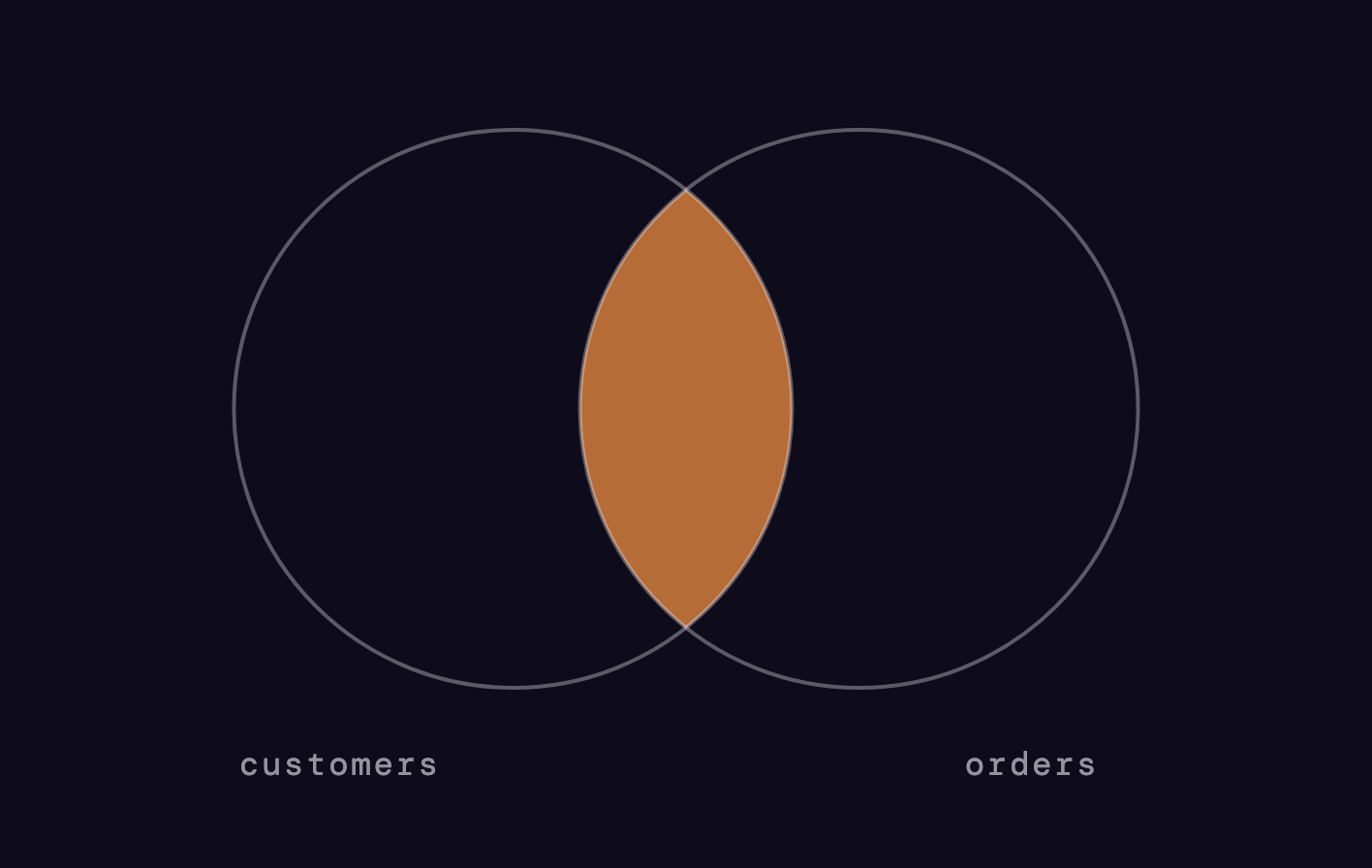
SELECT o.id, c.name
FROM orders o
INNER JOIN customers c
  ON o.customer_id = c.id;
Orders without a known customer simply disappear from the result. That silence is a feature when you want strictly matched data, and a bug when you forgot it happens.
2. LEFT JOIN
Everything from the left table. NULLs where the right side has no match.
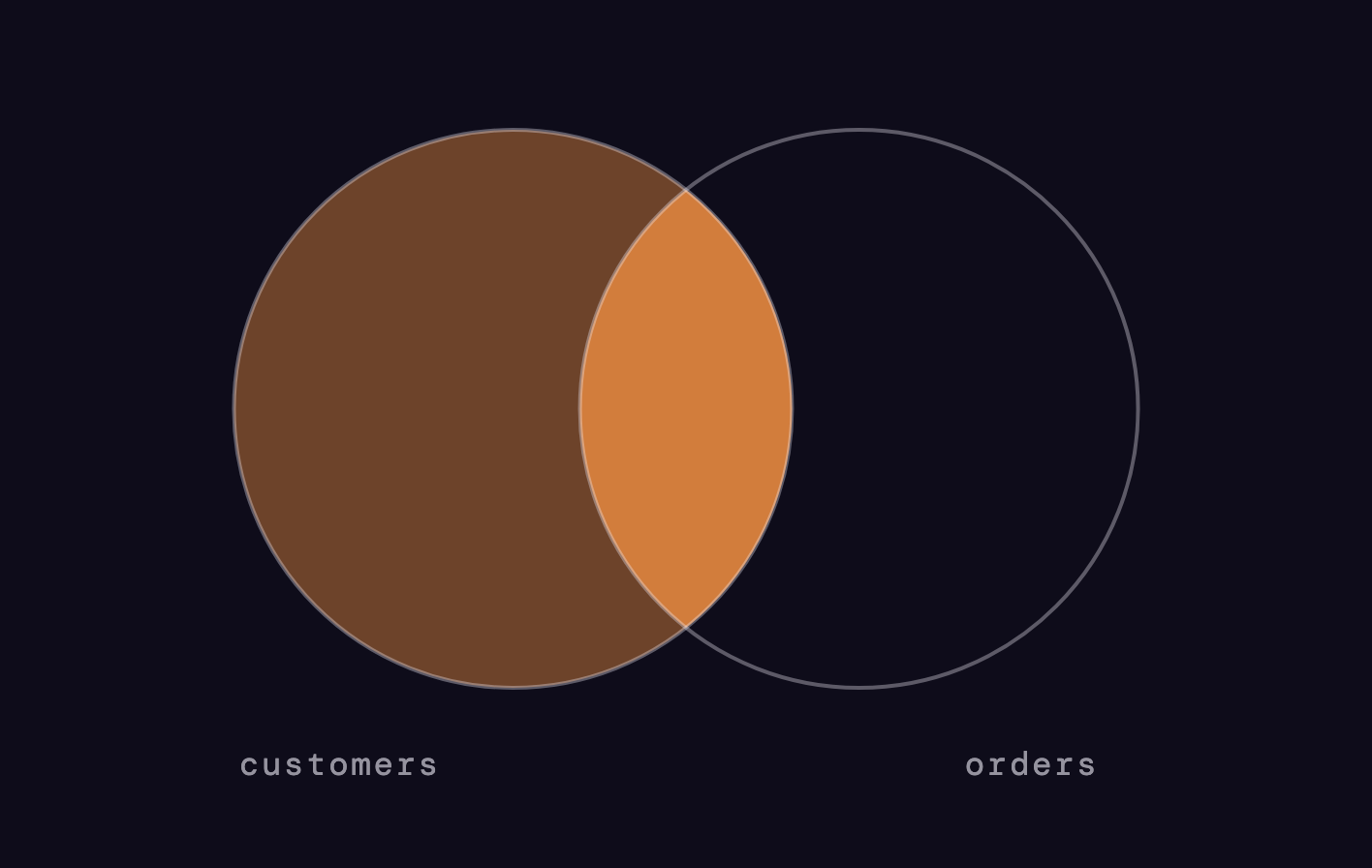
SELECT c.name, o.id
FROM customers c
LEFT JOIN orders o
  ON o.customer_id = c.id;
Keeps every customer, even the ones who never ordered. This is the join you will use 80% of the time, because in analytics you usually want to keep your reporting population intact.
3. RIGHT JOIN and FULL JOIN
RIGHT is just LEFT with the tables swapped. FULL keeps everything from both sides, filling NULLs wherever one side has no match.
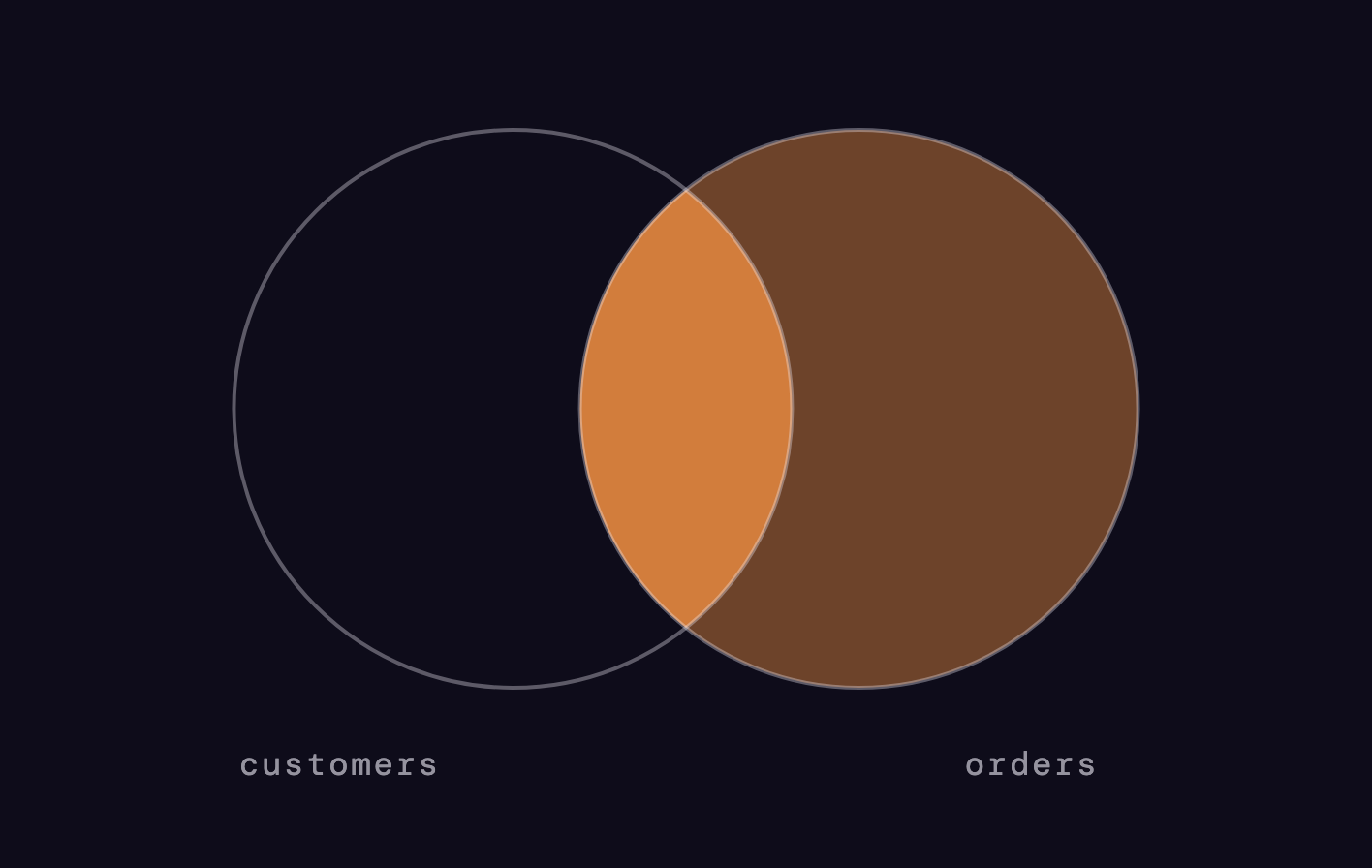
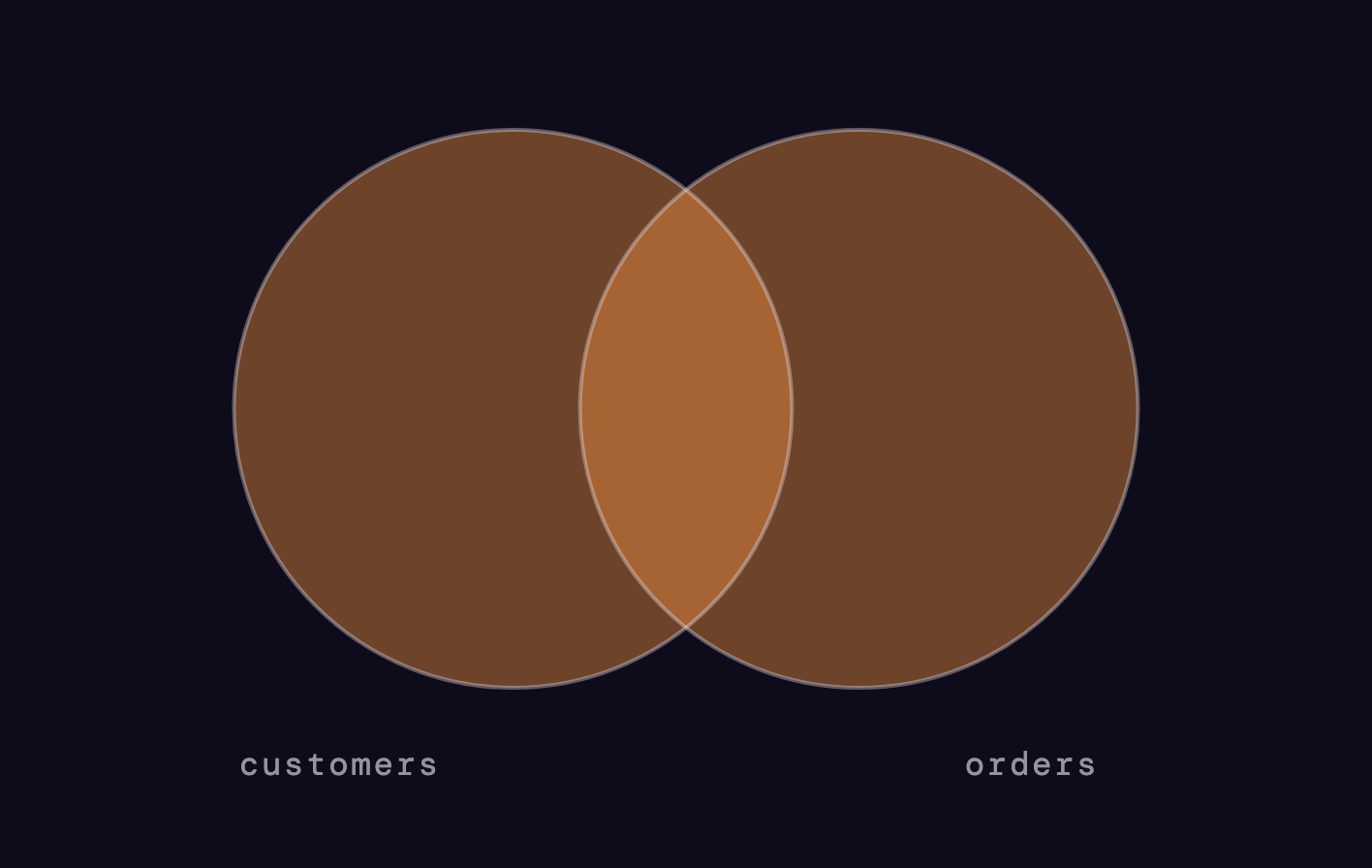
-- these two are equivalent
SELECT * FROM a RIGHT JOIN b ON b.a_id = a.id;
SELECT * FROM b LEFT  JOIN a ON b.a_id = a.id;
Pro habit: nobody reads RIGHT JOINs. Reorder the tables and use LEFT instead. FULL JOIN is rare in practice but great for reconciliation checks, like finding records that exist in one system but not the other.
Trap 01: JOINs multiply rows
If the right side has 3 matching rows, your left row appears 3 times.
| customer | order_id | amount |
|---|---|---|
| Amina | #1001 | 90 |
| Amina | #1002 | 90 |
| Amina | #1003 | 90 |
The amount column here came from a table where Amina had one row worth 90. After joining to her 3 orders, SUM(amount) returns 270 instead of 90. Your revenue "tripled" and no error was thrown.
The fix: aggregate the many-side first, then join.
WITH order_counts AS (
  SELECT customer_id, COUNT(*) AS orders
  FROM orders
  GROUP BY customer_id
)
SELECT c.name, c.amount, oc.orders
FROM customers c
LEFT JOIN order_counts oc
  ON oc.customer_id = c.id;
Trap 02: the hidden INNER JOIN
A WHERE clause on the right table turns your LEFT JOIN into an INNER JOIN.
-- looks like a LEFT JOIN, behaves like INNER
SELECT c.name, o.id
FROM customers c
LEFT JOIN orders o ON o.customer_id = c.id
WHERE o.status = 'paid';   -- kills the NULL rows

-- fix: filter inside the join
SELECT c.name, o.id
FROM customers c
LEFT JOIN orders o ON o.customer_id = c.id
  AND o.status = 'paid';
NULL never passes a WHERE comparison, so every unmatched customer is dropped. If your "all customers" report suddenly lost rows after adding a filter, this is why.
Bonus: the anti-join
Rows from the left that have NO match on the right. The single most useful interview pattern.
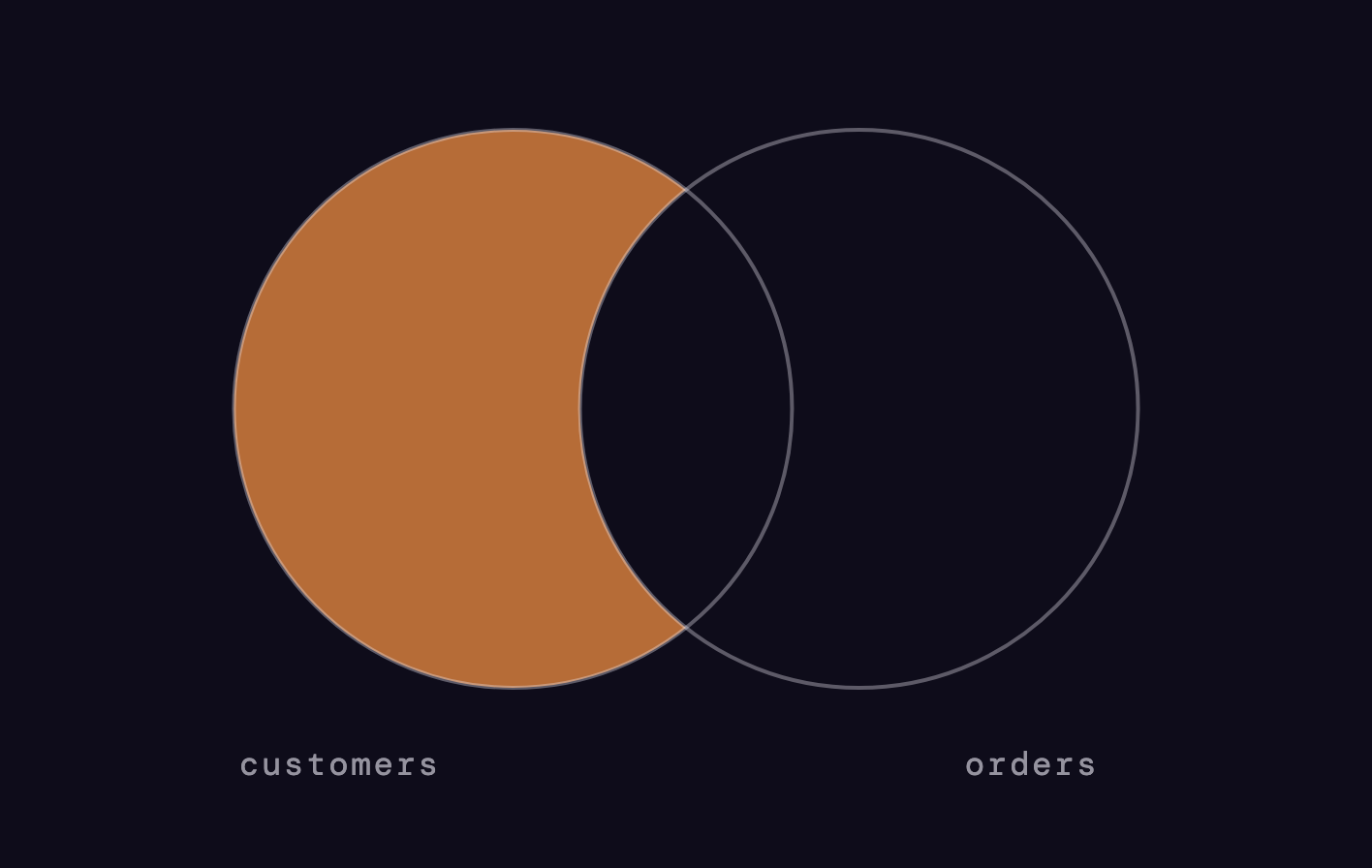
-- customers who never ordered
SELECT c.name
FROM customers c
LEFT JOIN orders o
  ON o.customer_id = c.id
WHERE o.id IS NULL;
The same question can be answered with NOT EXISTS, which many teams prefer for readability:
SELECT c.name
FROM customers c
WHERE NOT EXISTS (
  SELECT 1 FROM orders o WHERE o.customer_id = c.id
);
Learn it once, use it forever: churned users, products never sold, students who never logged in. It is all the same shape.
Frequently asked questions
What is the difference between INNER JOIN and LEFT JOIN?
Why does my JOIN return more rows than the original table?
When should I use a RIGHT JOIN?
What is an anti-join in SQL?
Get the free PDF
One page, print-ready, free to share. No signup needed.